
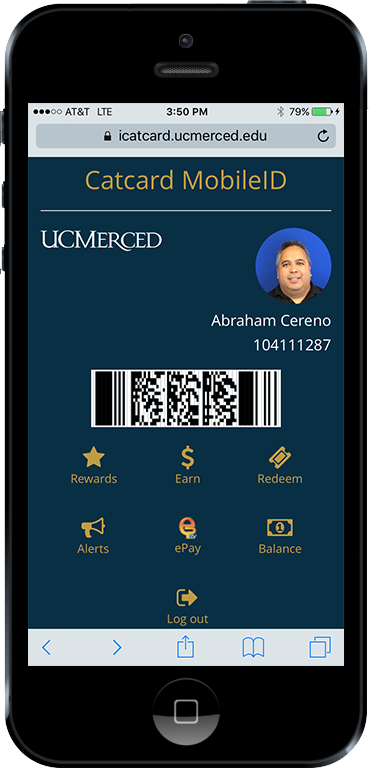
Pay with MobileID at locations on campus



Free
MobileID is 100% Free and No Download Necessary!
Fast & Easy
Sign in with your UCMNetID
Rewards
Earn points, redeem prizes, and receive the latest updates/alerts
How it works

Visit mobileid.ucmerced.edu
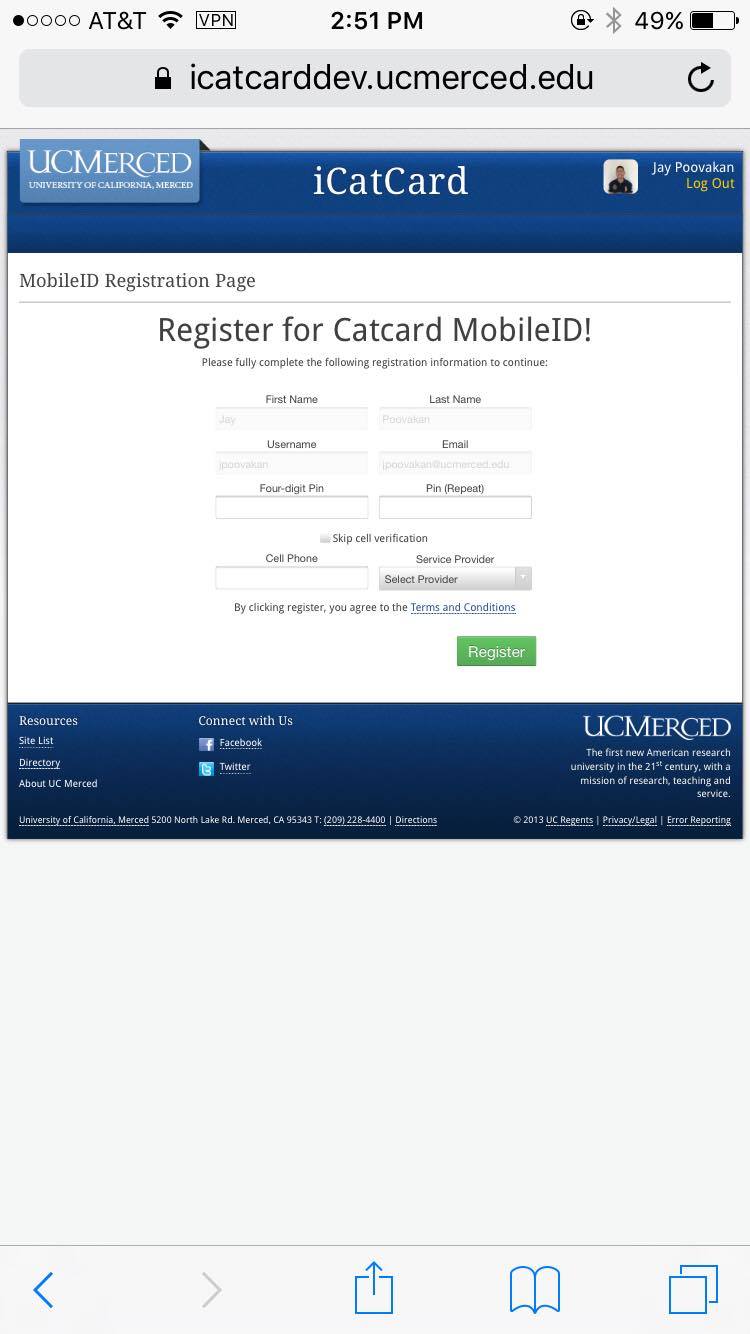
Register with your UCMNetID and provide a PIN

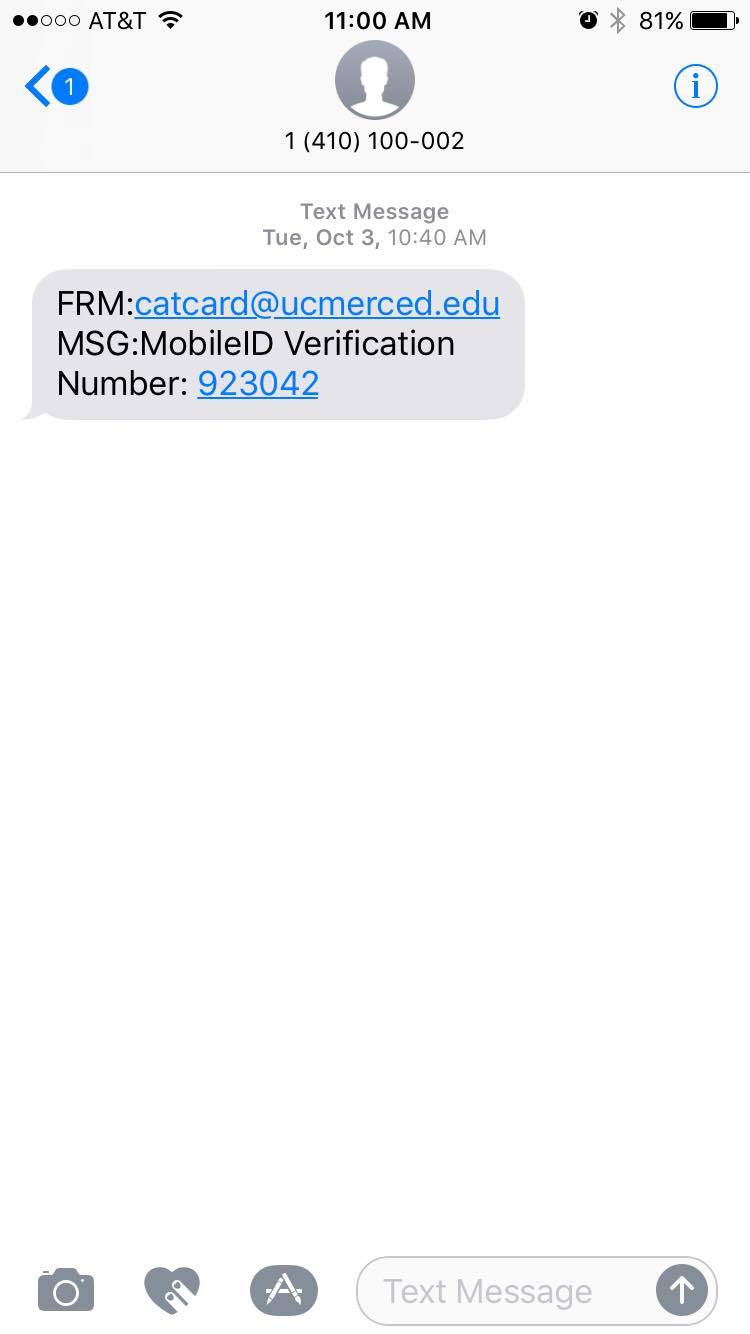
Verify your phone #
Use the verification code sent to your mobile device

Start using MobileID
Easily deposit money, view your balances, open doors, & more
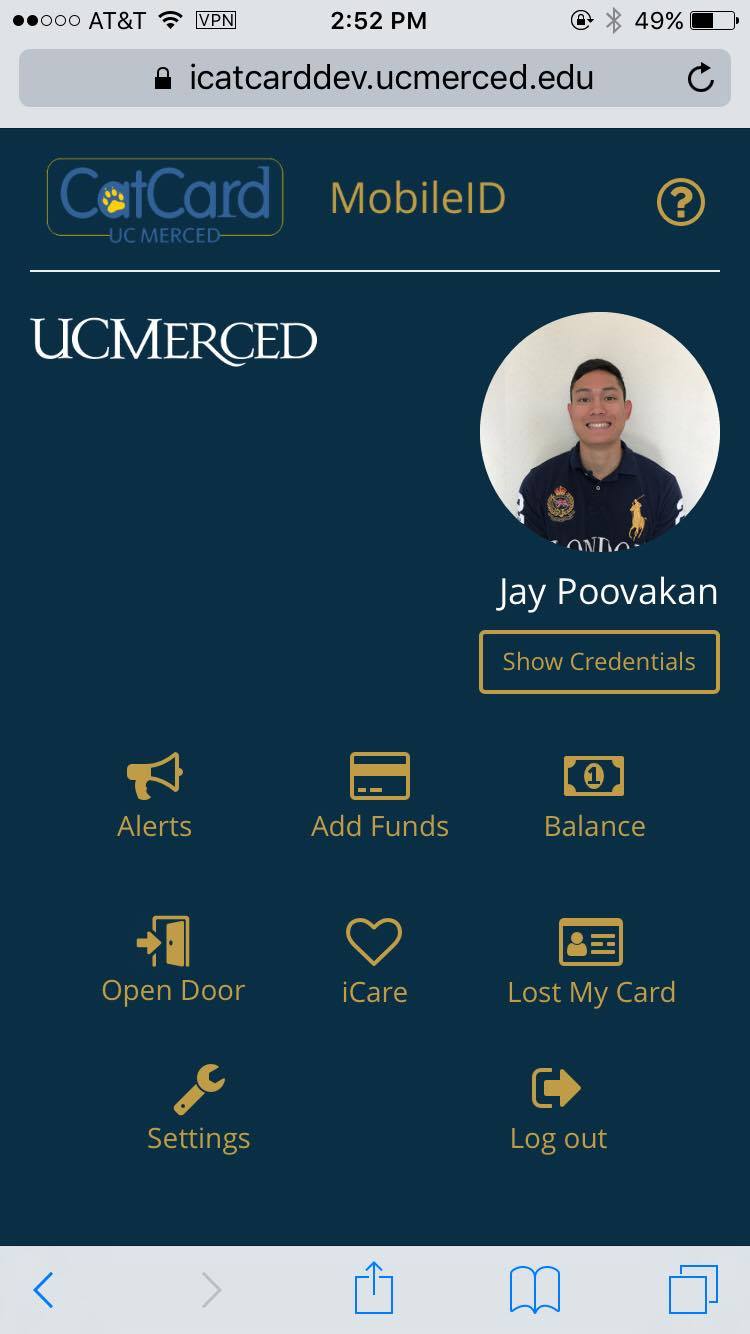
Add funds to your Card
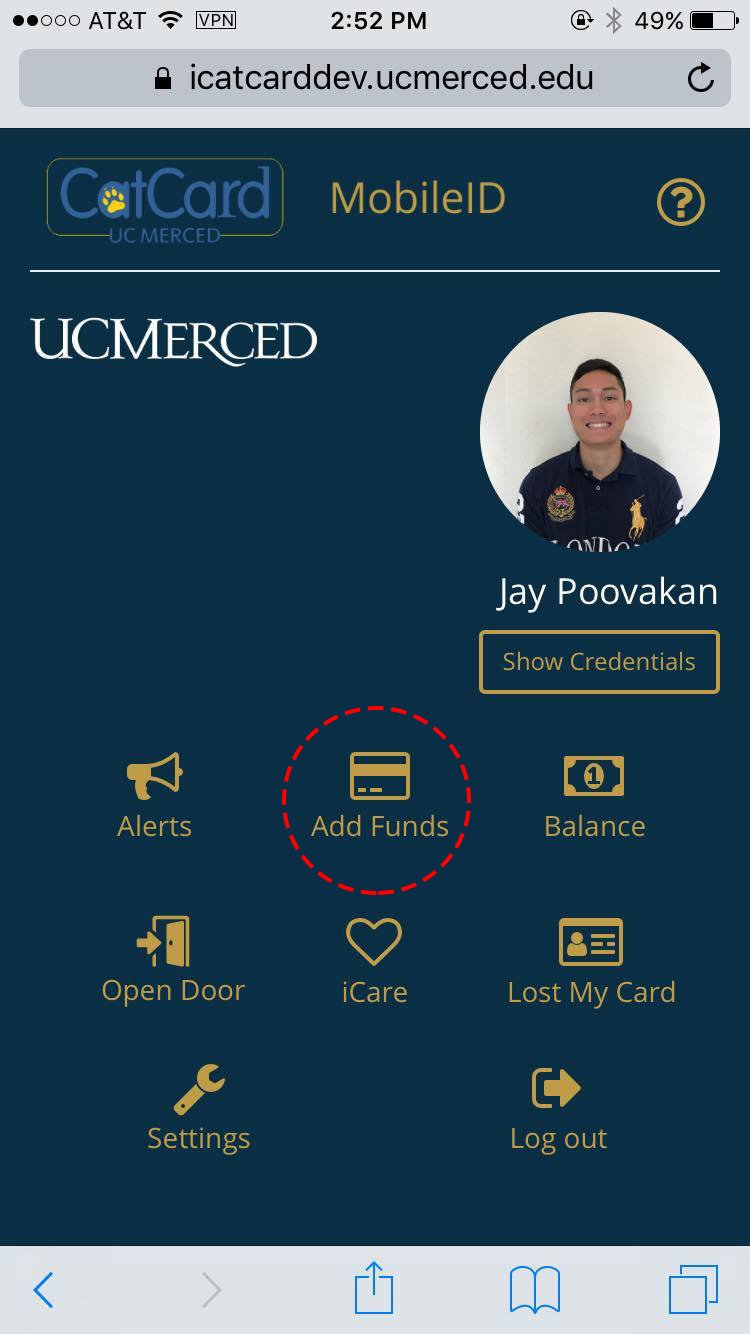
Add funds
Locate the 'Add Funds' icon on MobileID
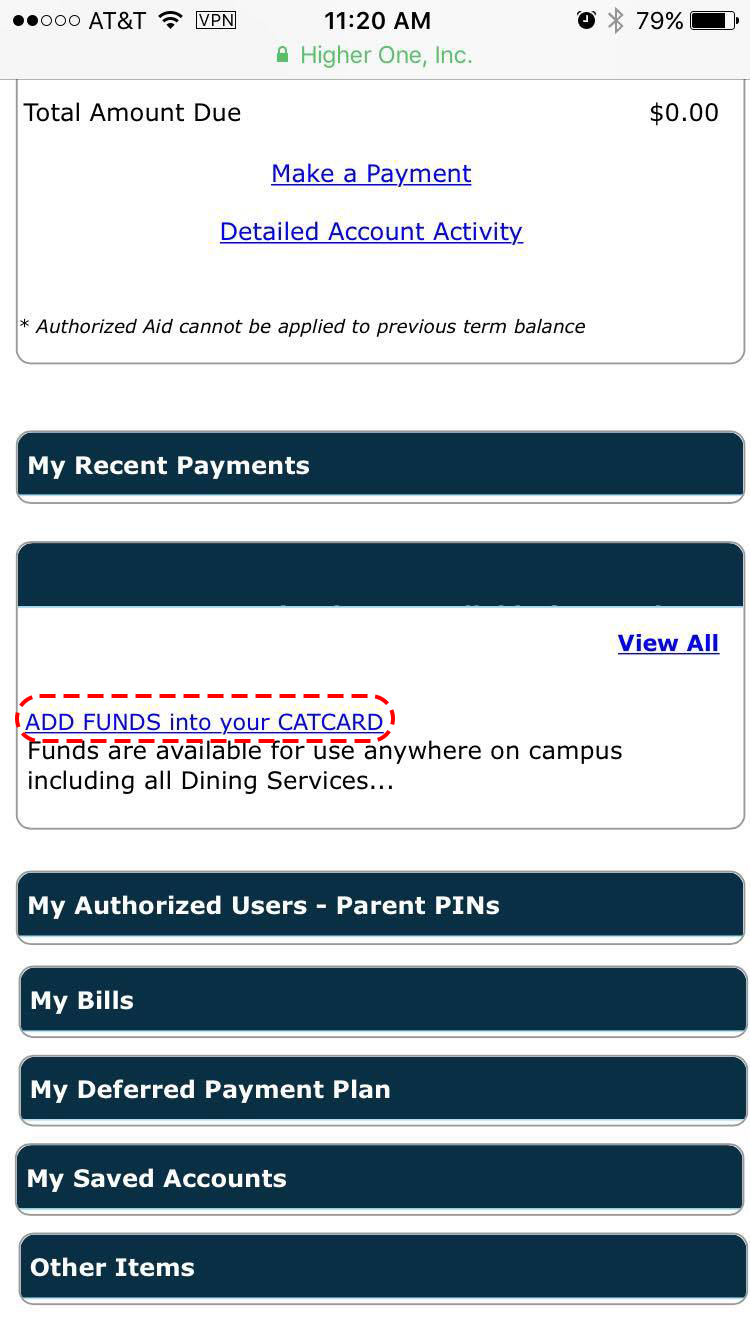
Scroll down
Locate 'ADD FUNDS into your CATCARD'
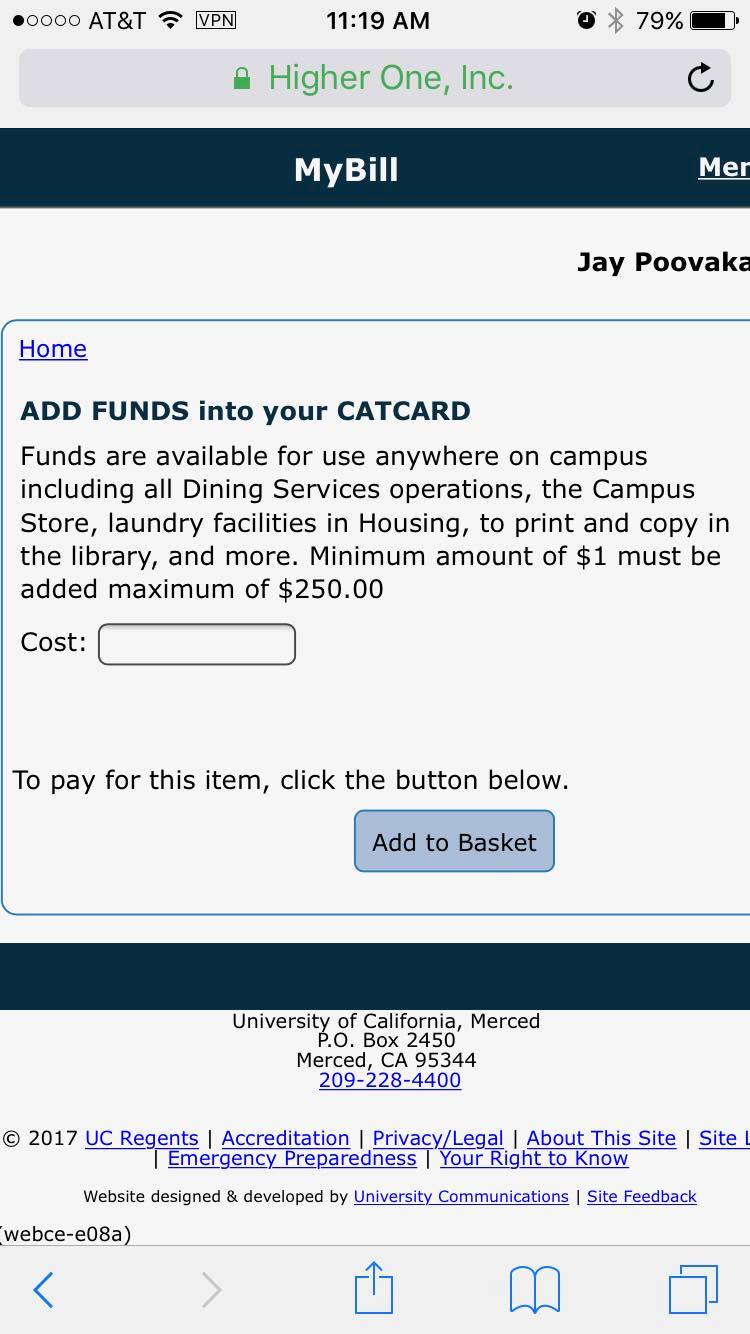
Enter desired amount
You have now successfully added funds into your account!
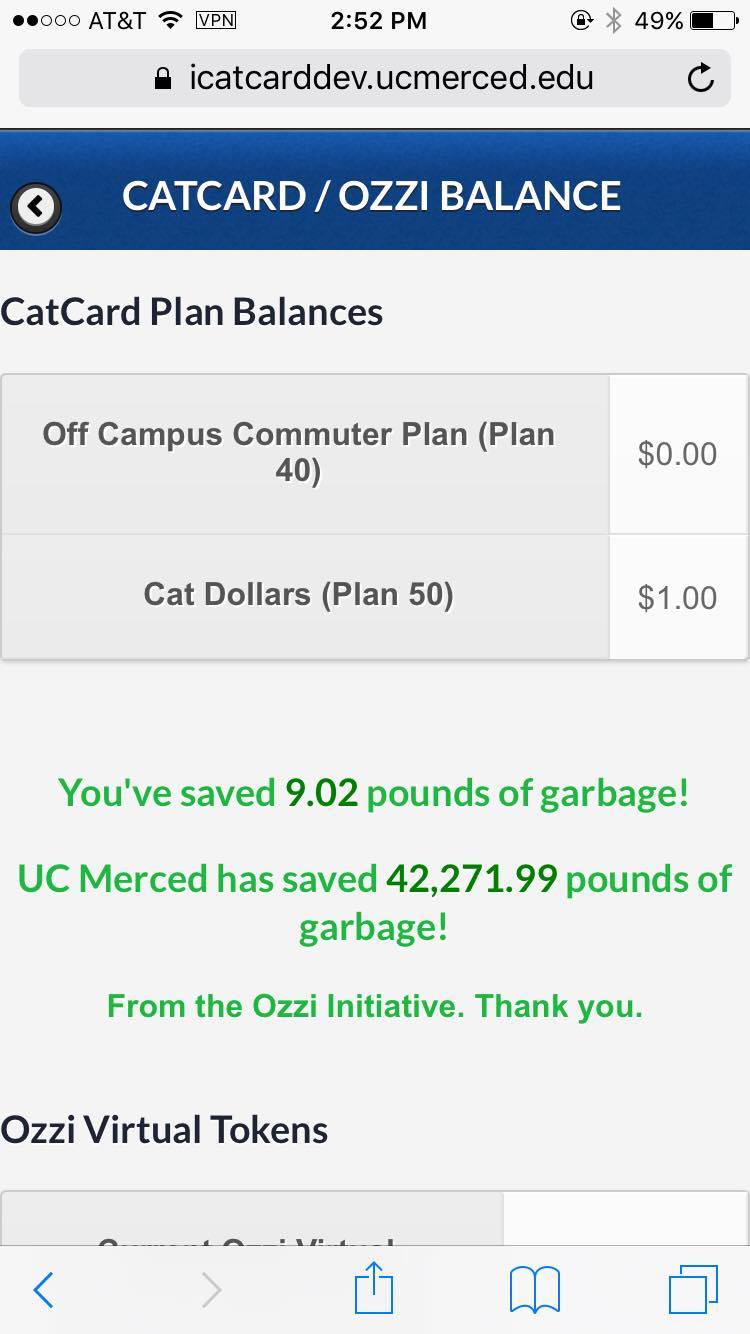
Check your balance
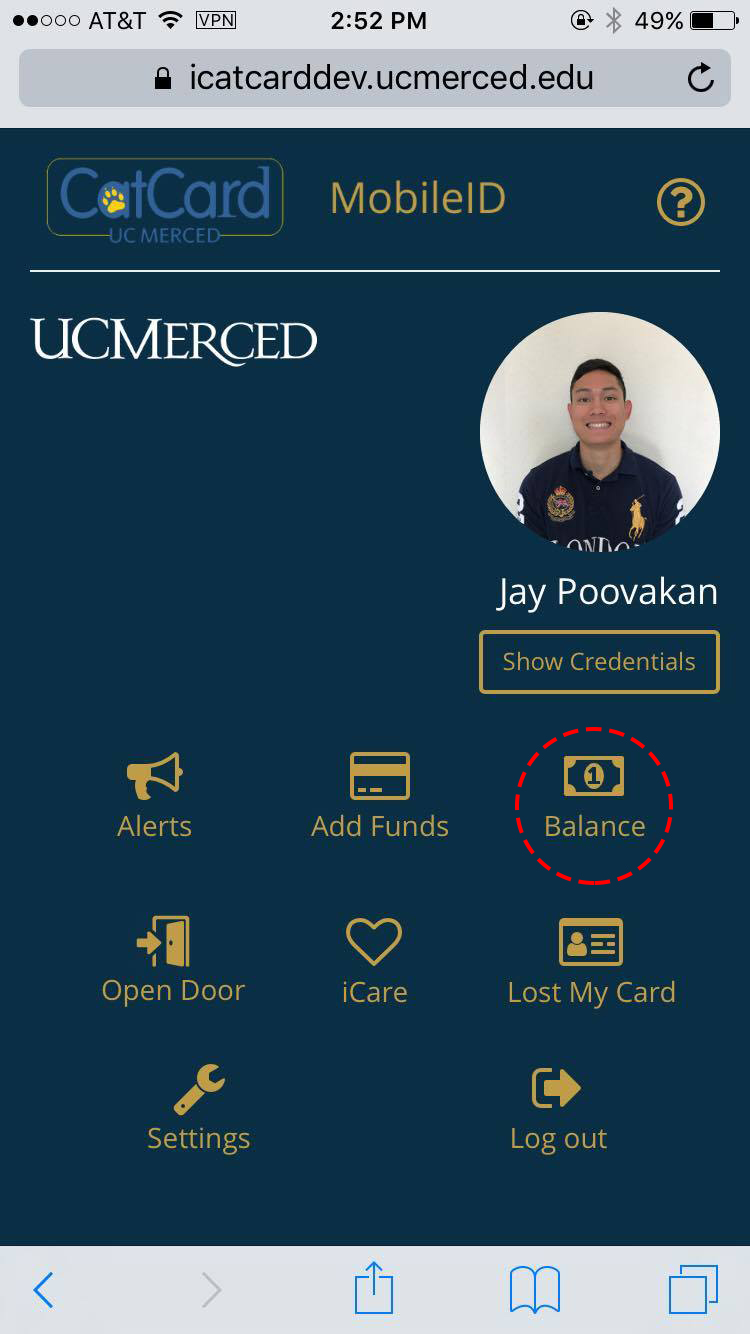
Check balance
Locate the 'Balance' icon on MobileID
View balance
Locate 'To view the balance on your CatCard, please click here'

View balance
You have now successfully viewed your account's balance!
Frequently Asked Questions (FAQ)
Is it free to use MobileID?
Yes, it’s 100% free for UC Merced students and staff!
What is the MobileID?
The MobileID is a new service provided by CatCard. It offers a convenient way to pay using your smart device. No more digging for your CatCard ID just when you're about to pay for a coffee! Just log in, scan the MobileID barcode, that's it!
How do I sign up for MobileID?
Visit mobileid.ucmerced.edu and enter your UCMNetID. You will be prompted to complete your profile, submit, and then you will receive a text message to validate your phone number. Upon confirming your text validation for your smart device, you're set for MobileID!